Pixel art with Claude, on a real grid
- SpriteForge's pixels are placed by Claude. The model writes each sprite as a grid of palette letters at its final size, one letter per pixel. No diffusion, nothing drawn big and shrunk.
- The SpriteForge Editor connector is free and needs no account: a pixel editor and a tileset editor inside the conversation. Add
https://www.spriteforge.tech/mcp/editor. - The SpriteForge connector (
/mcp, signed in) adds generation on your SpriteForge credits, your projects and your sprite library.
SpriteForge is a pixel-art studio for game developers. Its generator runs on Claude, and it comes to Claude's own apps as two MCP connectors: one for editing pixel art by hand, free and without an account, and one that generates with your SpriteForge account. This page explains how the pixels are made, then how to add each connector.
How Claude makes the pixel art
Most AI pixel-art tools run an image model. A diffusion model starts from noise, predicts a large picture, and the result is shrunk onto a pixel grid. The shrinking is where the tells come from: colours nobody picked, soft edges, stray pixels.
SpriteForge doesn't render an image. It asks a Claude model (Haiku, Sonnet or Opus 5.5, the studio's quality tiers) to write the sprite as text: a palette of colours, each named by a letter, and a grid with exactly one letter per pixel at the final size, from 8 to 64 px. That gives three properties you can check on any sprite it makes:
- A fixed grid. The sprite is born at 16×16 or 32×32. Nothing is resampled, so every pixel is a hard square.
- A set palette. Every pixel is one entry of a short palette the model chose or you gave it. Set a project palette and generation can be locked to it: a colour the model writes outside it snaps to its nearest palette entry.
- Editable output. The result is grid data, not a flattened image, so touch-ups, palette swaps and AI edits work on the actual pixels.
The trade-offs are honest ones. It is sharpest at 8 to 32 px; 64 px works but is not where it shines, and larger art is not what it is for. A generation takes from under a minute to a few minutes, and it costs credits at a fixed price shown before you start. The side-by-side post shows the difference with counts taken from the pixels.
https://www.spriteforge.tech/mcp/editor
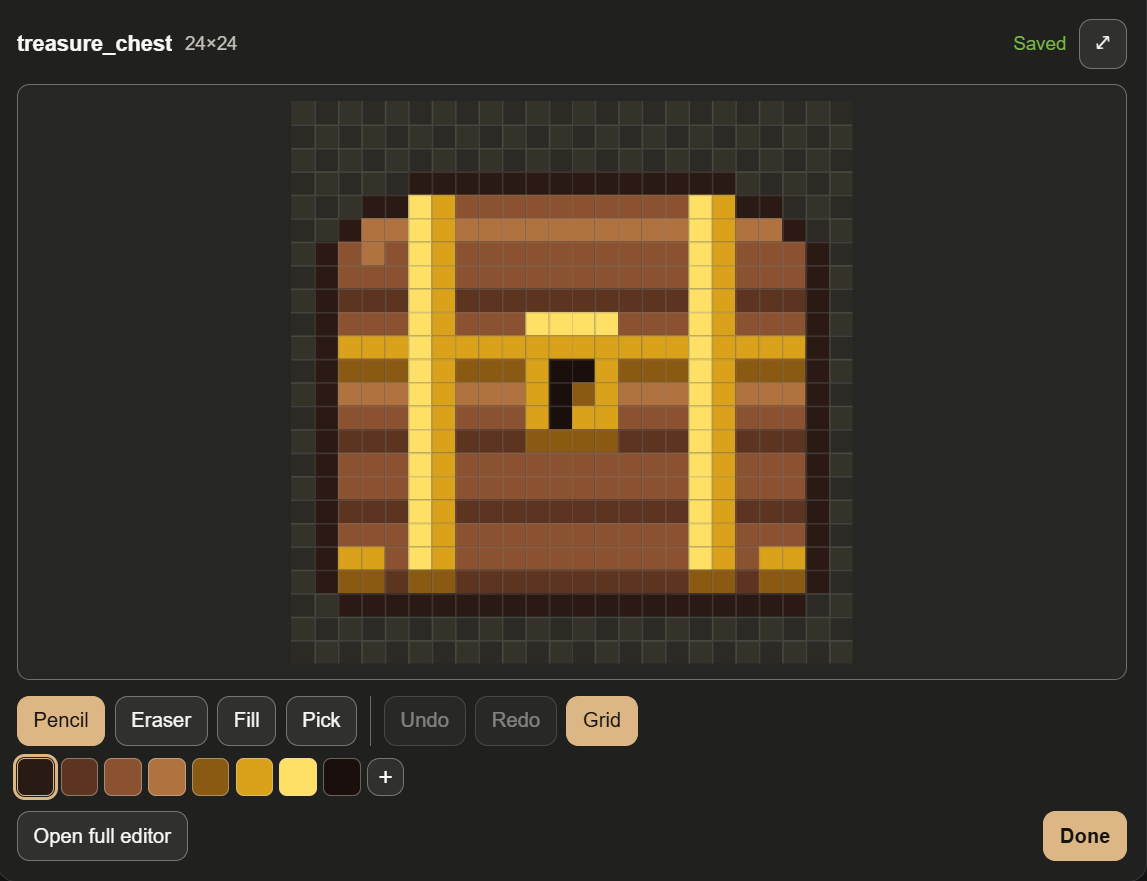
- Pixel editor card: pencil, eraser, fill, picker, palette, undo, frames
- Full editor: layers, selection, shapes, onion skin
- Tileset editor: Wang autotiles, walls and isometric preview, 49-tile platformer sets
- Calls no image model and spends nothing
https://www.spriteforge.tech/mcp
- Generates sprites, sets, animations and tilesets on SpriteForge's engine
- Quotes the price and waits for your OK before spending
- Your projects, palettes and sprite library; PNG downloads
- The same editors, saving back to your library
Add the free pixel art MCP editor
The SpriteForge Editor connector puts SpriteForge's editors in the conversation. Ask Claude to draw a sprite and open it, open a PNG you already have, or start from a blank canvas, then edit by hand and press Done to hand the result back. Claude reads it back as a preview, its palette and the exact PNG.
One thing to know: with this connector, the sprite Claude "draws" is drafted by Claude in your own conversation, on your own Claude plan. The connector is only the editor. SpriteForge's generator, with its prompts, palette lock and refine passes, is the signed-in connector below.
In claude.ai and the Claude desktop app
- Open Settings, then Connectors.
- Choose Add custom connector and paste the URL. There is no sign-in step.
https://www.spriteforge.tech/mcp/editorThe editors open as interactive cards right under Claude's reply.
In Claude Code
Install the plugin. It adds the connector and two panes that open beside the conversation: a pixel editor and a tile editor that work on PNG files in your project, on your machine.
/plugin marketplace add OndrejKnizat/spriteforge-editor/plugin install spriteforge-editor@spriteforge-editorIn the Claude desktop app's Code tab: click + next to the prompt box, then Plugins, Add marketplace with OndrejKnizat/spriteforge-editor, then Add plugin. If you only want the connector, without the panes:
claude mcp add --transport http spriteforge-editor https://www.spriteforge.tech/mcp/editorThings to ask
- "Draw a 16x16 health potion and open it in the SpriteForge editor so I can touch it up."
- "Open a blank 32x32 canvas in the full SpriteForge editor - I want layers and animation frames."
- "Make a 16px grass Wang tileset and open it in the tileset editor so I can paint a test map." Then: "Show that tileset as isometric terrain."
- In Claude Code: "Open assets/hero.png in the pixel editor", and after Send to Claude, "Write my edits back to assets/hero.png."
What it stores: only the sprite you open (pixels, palette, a name), under an unguessable edit link. Anyone holding the link can view and edit that sprite. The link closes 24 hours after the last edit, 7 days at most, and the sprite is then deleted. Limits: 128×128 pixels and 256 colours. The Claude Code panes upload nothing. Details are in the privacy policy.
Generate with SpriteForge from Claude
The signed-in connector, https://www.spriteforge.tech/mcp, works with your SpriteForge account. Claude writes the prompt, picks the type, size, project and quality tier, tells you what it will make and the exact price, and waits for your OK before it spends anything. Failed generations are refunded.
- Generate single sprites, themed sets of up to 8, animations, AI edits of a sprite, Wang and platformer tilesets, terrain and blended multi-terrain maps.
- Projects: read or change a project's style, palette, light and outline; new generations follow it.
- Library: browse your sprites, download PNGs with real transparency (in Claude Code straight into your project), upload images, and open a sprite in the editor to save your edits back.
- It can't delete sprites or projects, buy credits or change your account.
Add it
In claude.ai: Settings, Connectors, Add custom connector, paste the URL, then sign in to SpriteForge when Claude asks.
https://www.spriteforge.tech/mcpIn Claude Code, install its plugin, then run /mcp once to sign in:
/plugin marketplace add OndrejKnizat/spriteforge-claude-plugin/plugin install spriteforge@spriteforgeThen try /spriteforge:generate a slime enemy with a bounce animation. New accounts get a one-time free credit, added the first time you open the studio while signed in; after that, credit packs start at $5, with no subscription.
Questions
Is SpriteForge made by Anthropic?
No. SpriteForge is an independent studio. It uses Anthropic's Claude models for generation and offers these connectors for Claude's apps.
Do I need the signed-in connector to use the editor?
No. The two are separate. Use the editor alone for free, add the generator when you want SpriteForge to make the art, or use both: a sprite you edited without an account can be kept in your library with the signed-in connector.
Does it work outside Claude?
Yes. Every sprite opened through the editor connector also gets an edit link that opens the same editor in a browser, and the full studio is at spriteforge.tech/create. There is a REST API for your own tools too.