A free pixel art editor inside Claude and Claude Code
- SpriteForge Editor is a pixel editor and a tileset editor that open inside Claude. In claude.ai and the Claude desktop app they are cards in the conversation; in Claude Code they are panes beside it.
- Free, no account, no image model. In claude.ai, add the custom connector
https://www.spriteforge.tech/mcp/editor. In Claude Code, install the plugin fromOndrejKnizat/spriteforge-editor. - You edit, Claude reads it back. Press Done (or Send to Claude in Claude Code) and Claude gets the exact pixels, ready to write into your project.
Claude can draft pixel art as text, but some fixes are faster by hand: a stray pixel, a wrong shade, an eye one pixel too high. SpriteForge Editor puts SpriteForge's own pixel editor into the conversation for that. Ask Claude to draw a sprite and open it, open a PNG you already have, or start from a blank canvas. Edit it, hand it back, and Claude carries on with your version.
It is the free, hand-editing half of SpriteForge's Claude integrations. It has been submitted to Anthropic's connector and plugin directory (20 October 2026) and is still in review; until it is listed there, you add it by URL or from its GitHub repository, as below.
In claude.ai and the Claude desktop app
Add the connector
- Open Settings, then Connectors.
- Choose Add custom connector and paste the URL. There is no sign-in step.
https://www.spriteforge.tech/mcp/editorIf Claude doesn't reach for it, name it in your request ("…in the SpriteForge editor"). If no card appears, check that the connector is switched on for that conversation.
Three editors, each a card
The editors open as interactive cards right under Claude's reply. Every sprite also gets an edit link that opens the same editor in a browser, which is how it works anywhere the cards don't show.
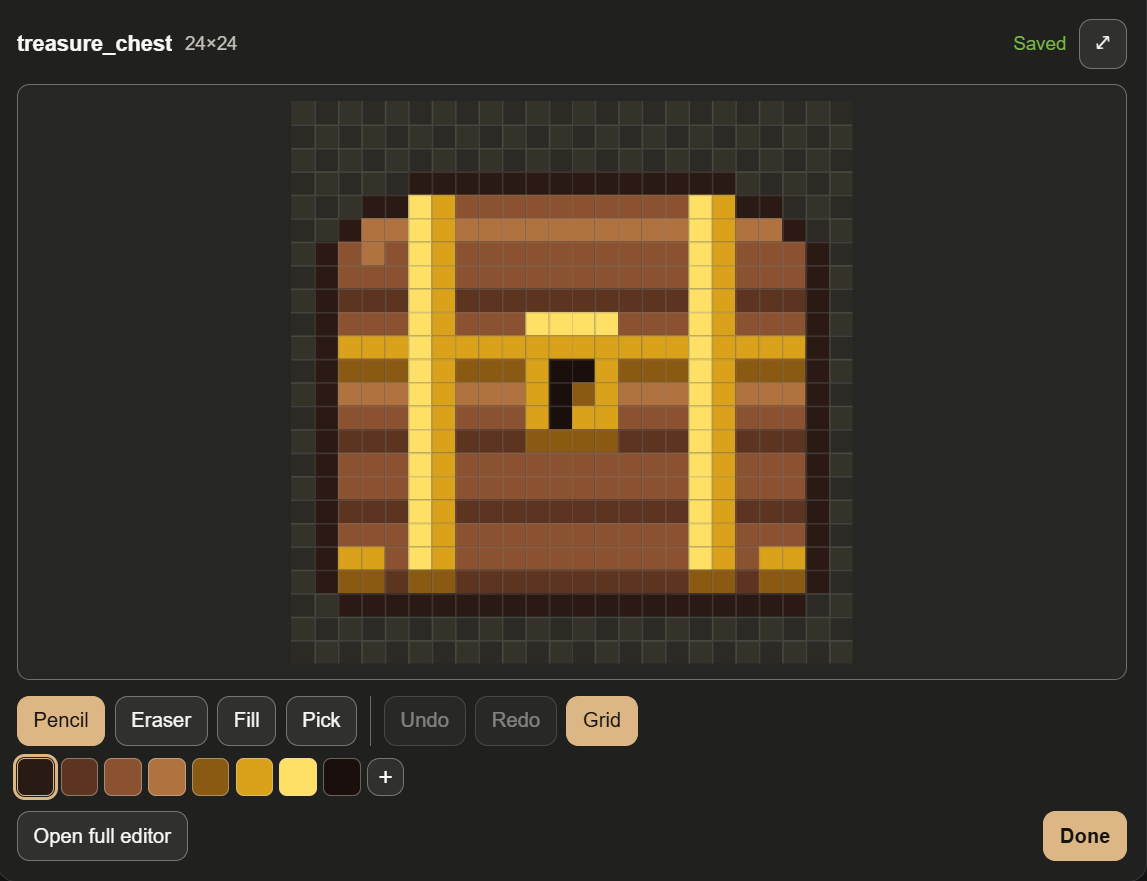
- The editor card: pencil, eraser, fill, colour picker, palette, undo and animation frames. Enough for touch-ups and recolours.
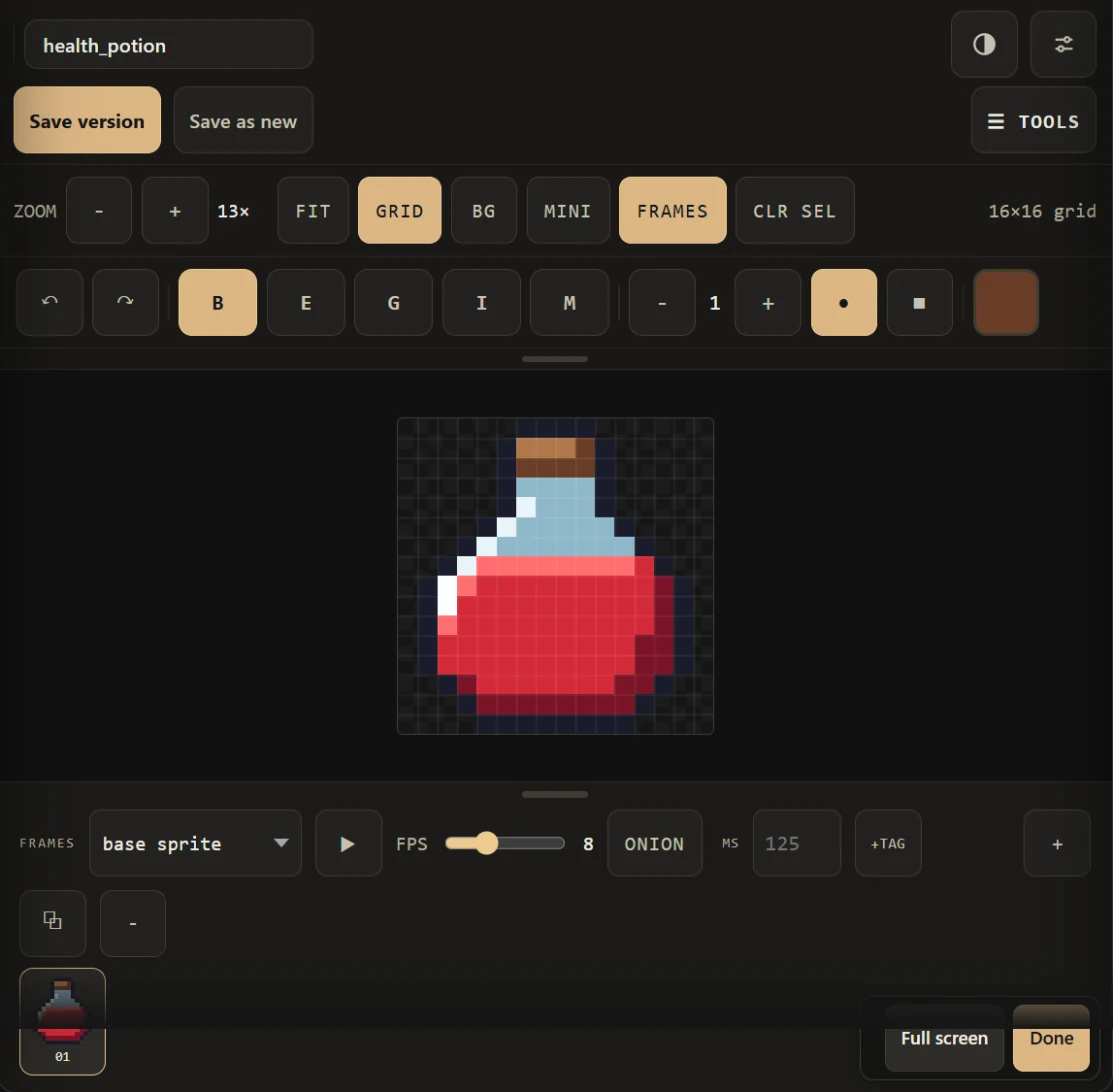
- The full editor: SpriteForge's whole Edit studio in the conversation. Layers, selection and move, lines and shapes, mirror painting, brush sizes, palette tools, and animation frames with onion skin and playback. Open full editor on the card switches to it on the same sprite.
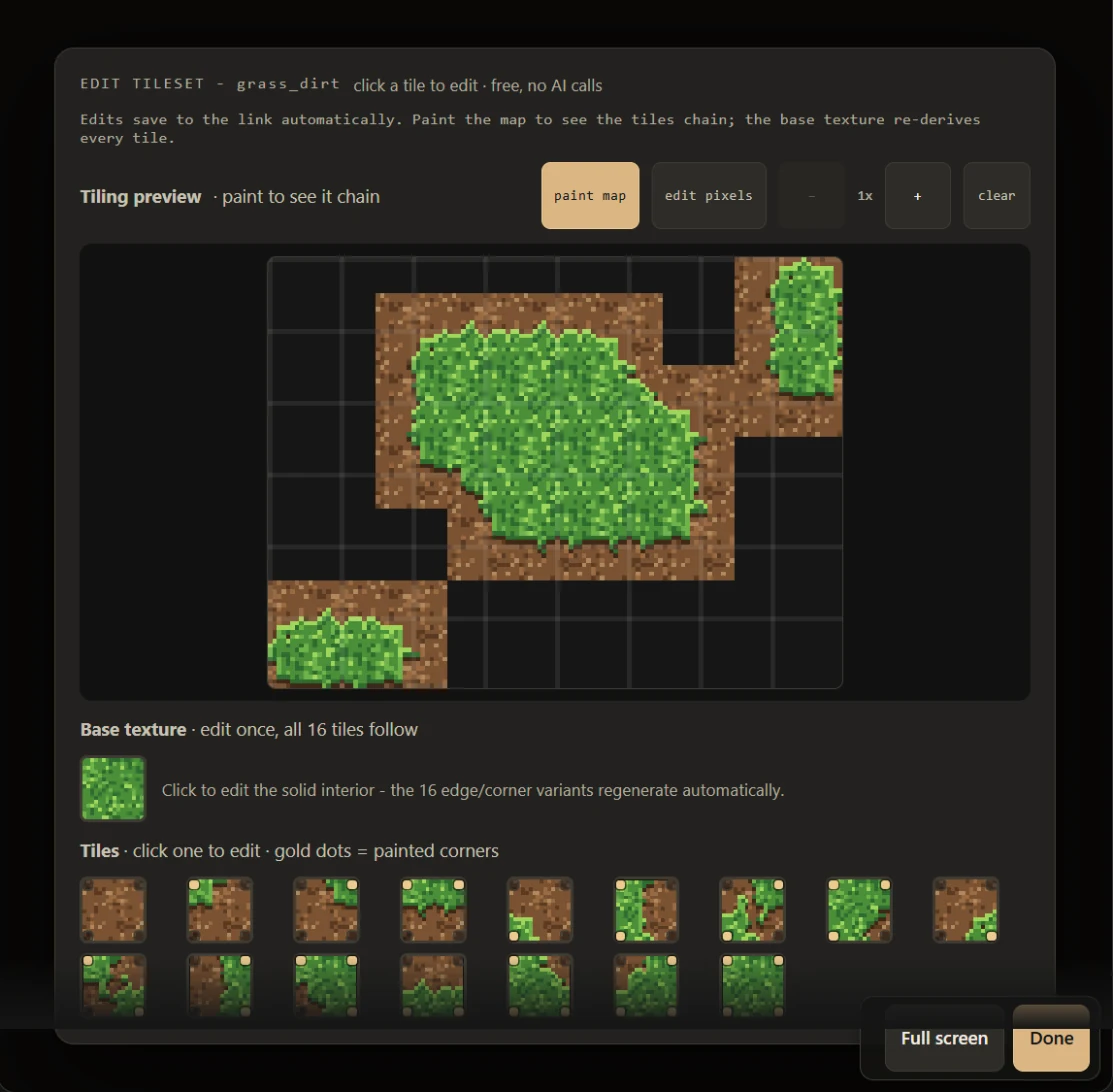
- The tileset editor: paint a small map and watch Wang autotiles join up, draw on the map or on single tiles, and edit the base texture, which re-derives every edge tile you haven't drawn by hand. It previews a set as a floor, as walls or as isometric terrain, and also takes 49-tile platformer sets.
How the sprite gets back to Claude
Edits save to the sprite's edit link as you go. When you press Done, the card tells Claude, and Claude reads the result with get_sprite: a preview, the size and palette, how many saves happened, and a link to the exact PNG at 1×. From there it can describe what changed, keep working on it, or, with a shell, download the PNG into your project.
The connector's tools
For the curious, or for writing your own prompts. The connector is an MCP server at /mcp/editor with four tools Claude calls:
open_editorOpens a sprite in the compact card: a PNG, pixel art Claude drafted (a palette and an index grid), or a blank canvas.open_full_editorThe same sources, straight into the full Edit studio.open_tileset_editorA Wang set or a platformer set in the tileset editor; called again with the same session andkindwall or iso, it re-shows the set as walls or isometric terrain without losing your edits.get_spriteReads a sprite back: preview, palette, saves, PNG link, and the index grid on request. Read-only.
Two more, load_art and save_art, are called only by the cards themselves to load and save the sprite.
In Claude Code
The plugin adds the same connector plus two panes that open beside the conversation: a pixel editor and a tile editor. They work on PNG files in your project, on your machine, and upload nothing. In the terminal:
/plugin marketplace add OndrejKnizat/spriteforge-editor/plugin install spriteforge-editor@spriteforge-editorInstalled at the user scope, it also loads in the Code tab of the Claude desktop app. To install from the desktop app instead: click + next to the prompt box, then Plugins, Add marketplace with OndrejKnizat/spriteforge-editor, then Add plugin and pick spriteforge-editor. If you only want the connector, without the panes:
claude mcp add --transport http spriteforge-editor https://www.spriteforge.tech/mcp/editorThe pixel editor pane
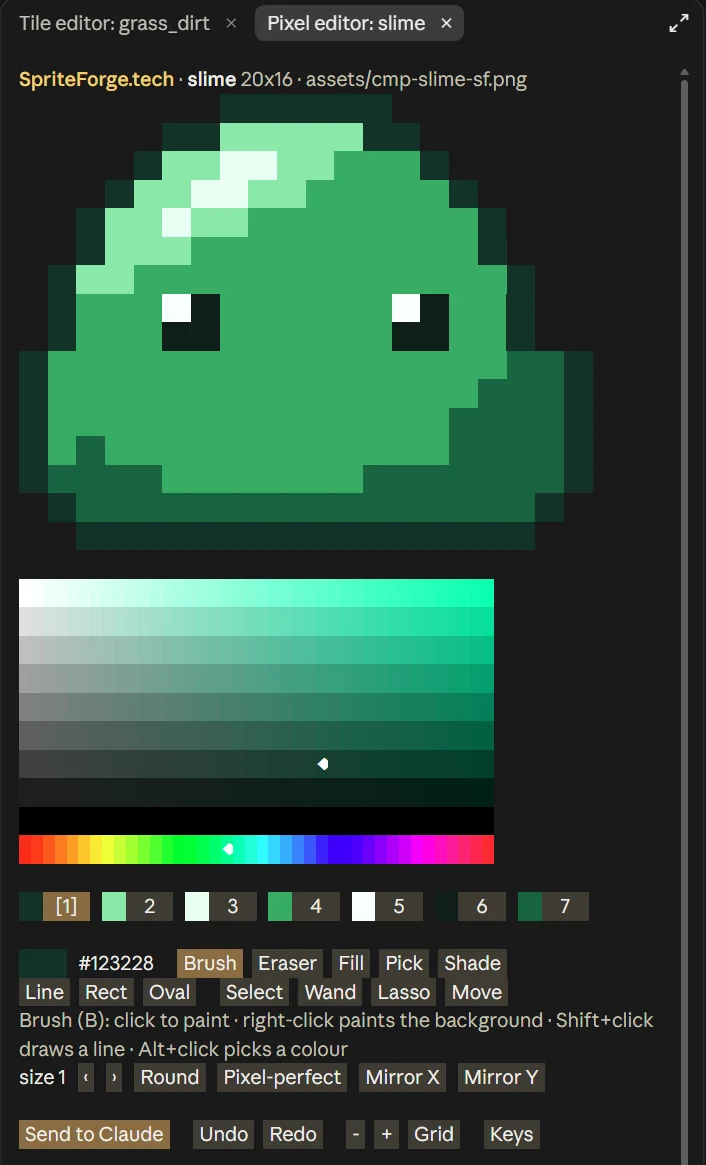
/spriteforge-draw assets/hero.png opens a PNG from your project, up to 64×64 pixels and 256 colours. /spriteforge-draw 32x32 opens a blank canvas, and /spriteforge-draw alone a 16×16 one. Claude can open it for you too, with a file or with pixel art it drafted (its open_pixel_editor tool).
It has the tools of SpriteForge's Edit studio with Aseprite-style keys: brush, eraser, fill, pick, shade, line, rectangle and oval; select, wand and lasso with move, scale and rotate; palette tools; canvas resize, outline and Tile 3x3 to check a texture repeats; layers; and frames with timing, tags, onion skin and playback.
The tile editor pane
/spriteforge-tiles grass.png opens a Wang set exported from SpriteForge (a 4×4 sheet, or the 16×1 strip the signed-in connector downloads). Give it a square texture instead and it derives a new set from it, the way SpriteForge does. /spriteforge-tiles 16 starts a placeholder with 16 px tiles; add wall or iso to preview the set as walls or isometric, or platformer for a 49-tile platformer set. Claude's tool for it is open_tile_editor.
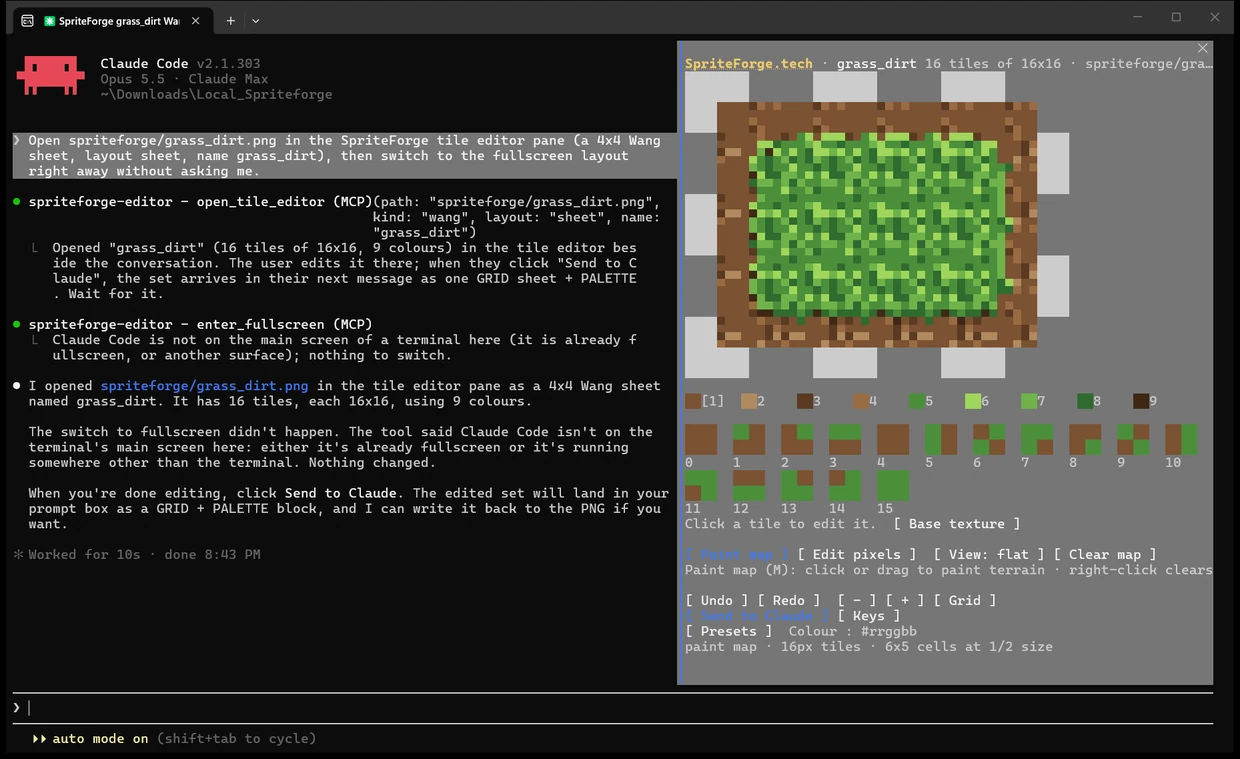
In a terminal, the panes take mouse clicks in Claude Code's fullscreen layout (Claude asks before switching). Exact clicks on large sprites need a terminal that reports pixel positions: kitty, Ghostty, iTerm2, WezTerm or foot.
Getting the edits back
Send to Claude puts the sprite into your prompt box as a grid of palette letters, with frame times and tags, and you decide whether to send it. Then ask Claude to write it back: "Write my edits back to assets/hero.png." Export writes files beside the sprite, never over an existing one: PNG at 1× or 8×, a sheet of every frame, a looping GIF, one PNG per frame, an Aseprite file or a text grid.
For the browser Edit studio instead, /spriteforge-editor:edit assets/hero.png uploads the PNG to an edit link, gives you the link, and writes the edited pixels back into the file when you say you're done.
Prompts to try
- "Draw a 16x16 health potion and open it in the SpriteForge editor so I can touch it up."
- "Open a blank 32x32 canvas in the full SpriteForge editor - I want layers and animation frames."
- "Make a 16px grass Wang tileset and open it in the tileset editor so I can paint a test map." Then: "Show that tileset as isometric terrain."
- "I'm done - show me the result and give me the PNG."
- In Claude Code: "Open assets/hero.png in the pixel editor", and after Send to Claude, "Write my edits back to assets/hero.png."
What it can't do
- It doesn't generate. The connector is only the editor and calls no image model. A sprite Claude "draws" for it is drafted by Claude in your own conversation, on your own Claude plan. SpriteForge's generator, with project palettes, palette lock and refine passes, is the signed-in connector.
- Size limits. Edit links and cards take up to 128×128 pixels and 256 colours, the Claude Code panes 64×64. Big sprite sheets and whole maps can't be opened yet.
- No partial transparency. Pixels under 50% opacity become fully transparent.
- The panes are Claude Code only. In claude.ai you get the cards. Claude Code on the web and the phone apps can't show the panes, so Claude gives you an edit link there.
- Edit links don't last. A link closes 24 hours after its last edit, and 7 days after it was created at most. Keep the PNG.
What it stores: only the sprite you open in a card or an edit link (its pixels, palette and a name), on spriteforge.tech, under an unguessable link. Anyone holding the link can view and edit that sprite. When the link closes, the sprite is deleted within a day. The Claude Code panes upload nothing. Details are in the privacy policy.
Source and support
The plugin, the panes' code and the full feature list are on GitHub at OndrejKnizat/spriteforge-editor (MIT licence), with a troubleshooting section for the usual snags. Both of SpriteForge's Claude connectors are summarised on SpriteForge for Claude, and the same editor runs in any browser as the free pixel art maker. Questions go to support@spriteforge.tech.