PixelLab vs Retro Diffusion vs SpriteForge: the same game, three art sets
- The test: 15 sprites, a walk animation and a ground tile set for a top-down survivors-like game, on all three services, using the highest quality option on each.
- The sprites: SpriteForge's are cleaner and less noisy, and to me they look more like something a person made. Across all 15 it used 78 colours. Retro Diffusion used 396 and PixelLab 256.
- The cost: here SpriteForge clearly loses. The numbers are in the table.
- The result: not the landslide victory for SpriteForge I was hoping for. It's a mixed bag.
I'm comparing PixelLab, Retro Diffusion and SpriteForge, by making the same game in each.
Disclosure: SpriteForge is my service, but I will try to be as impartial as possible.
This post is the written version of the video. Watch it on YouTube.
How the three work
For those who don't know: PixelLab and Retro Diffusion are, to my knowledge, the two most popular AI pixel art services.
They use pixel art LoRAs to fine-tune diffusion models, so the output mimics the look of pixel art. That closeness to pixel art makes snapping the output to a grid, and its colours to a palette, somewhat effective.
SpriteForge works differently. It uses LLMs like Claude to draw the pixel art. Nothing has to be snapped to a grid, because it is already pixel art by construction. And the model can be given the palette up front, so it only draws with those colours.
They work differently, but the goal is the same: pixel art you can actually use in a game.
The test
For this comparison I generated 15 sprites, a walk animation and a ground tile set, for a top-down survivors-like game, on all three services, using the highest quality option on each.
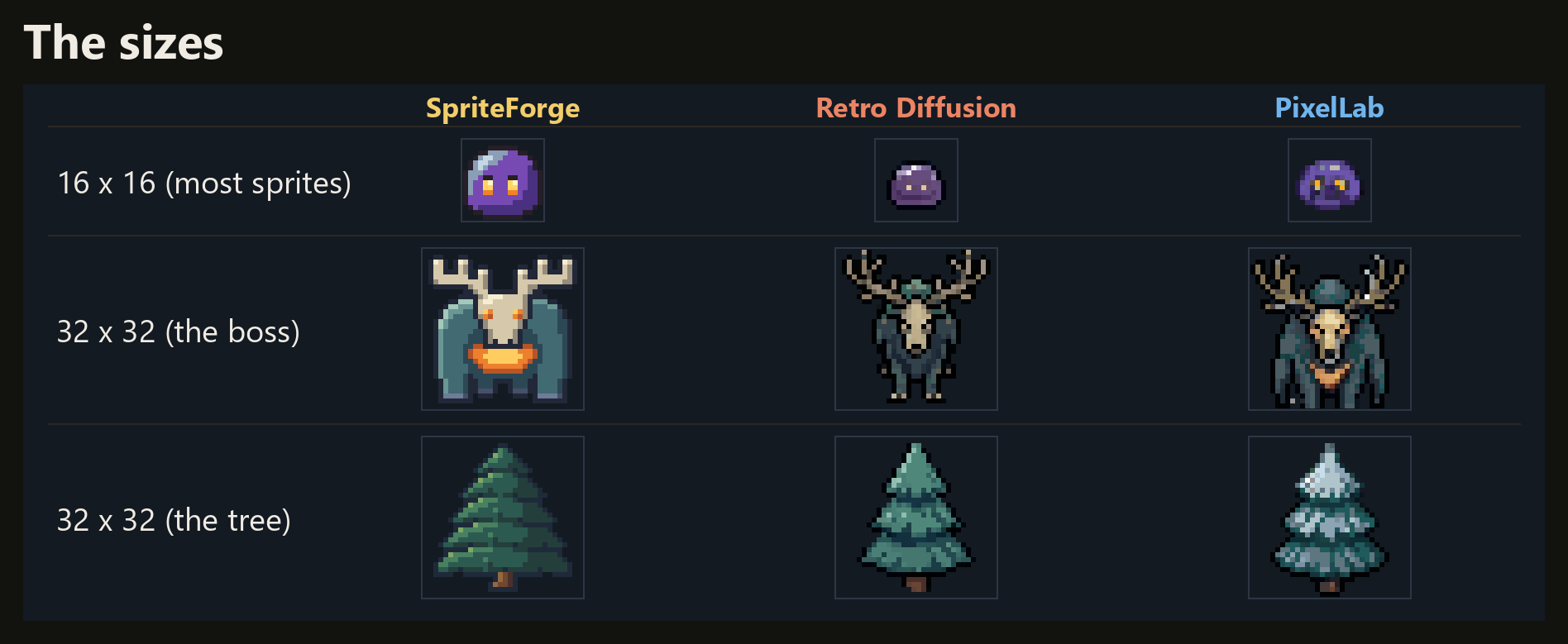
Almost everything is 16×16. The boss and the tree are 32×32.
1. The sprites
First comparison: the individual sprites. Let's go through them.
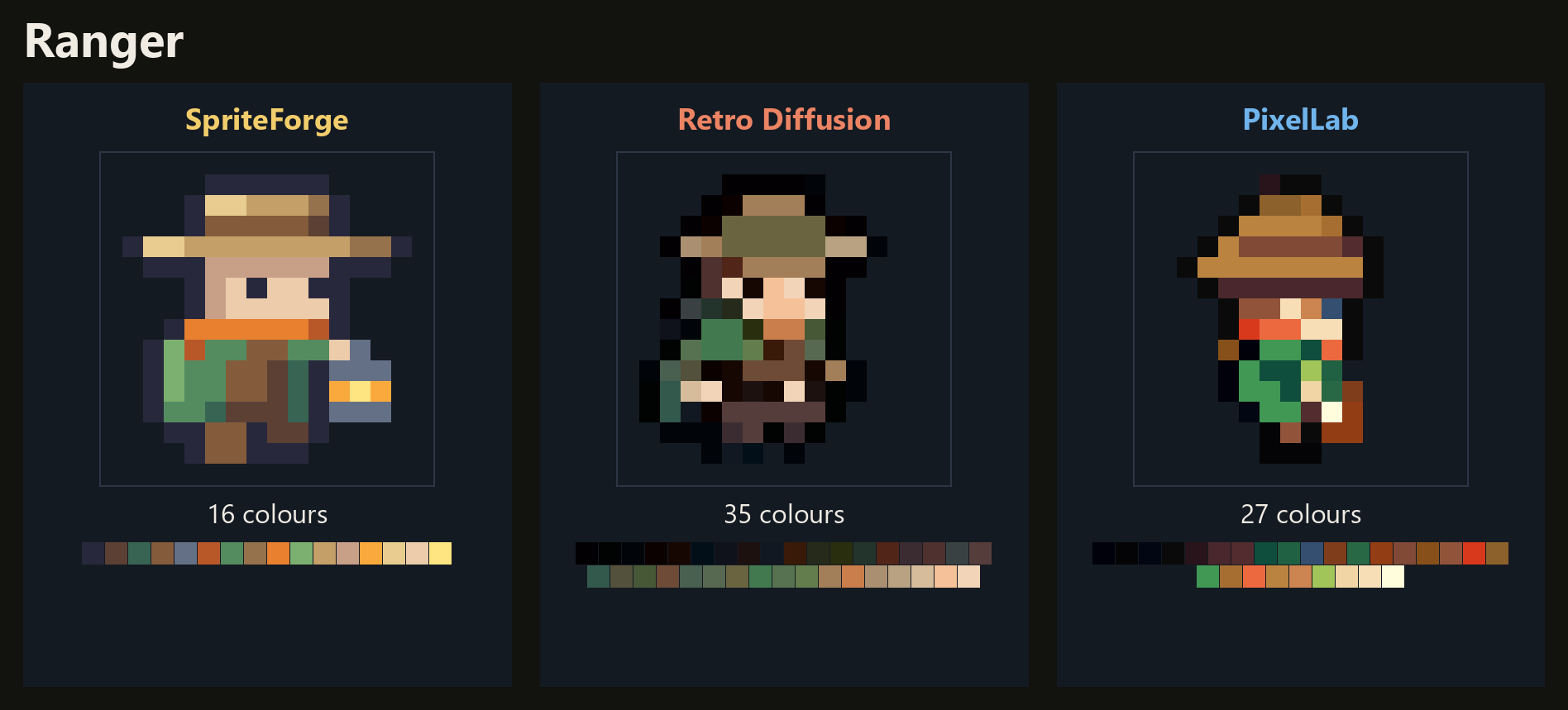
The ranger. All three are readable. SpriteForge's is the simplest, with flat, clean colours. The other two pack in more detail than 16 pixels can really hold.
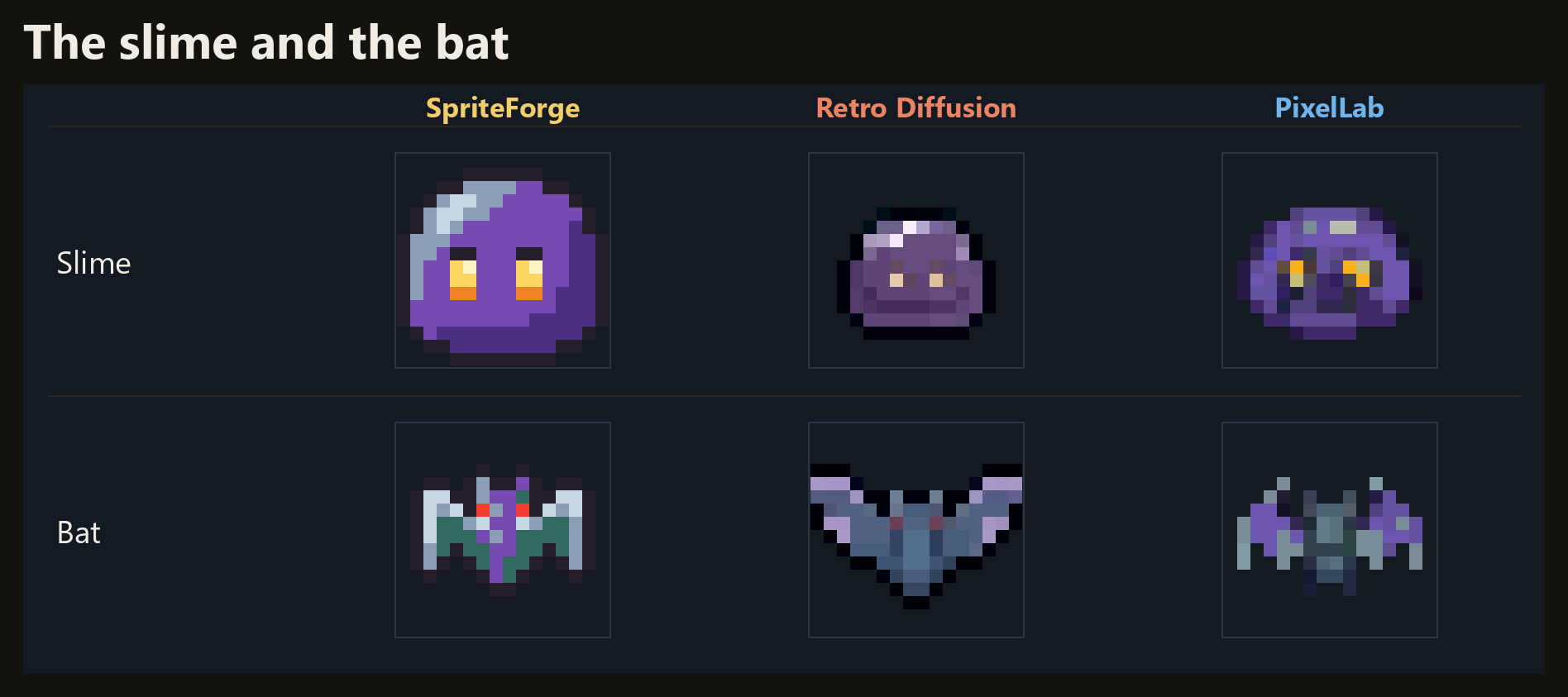
The slime and the bat. On dark ground, SpriteForge's read at a glance. The diffusion ones are darker and muddier, which is what tends to happen at this size.
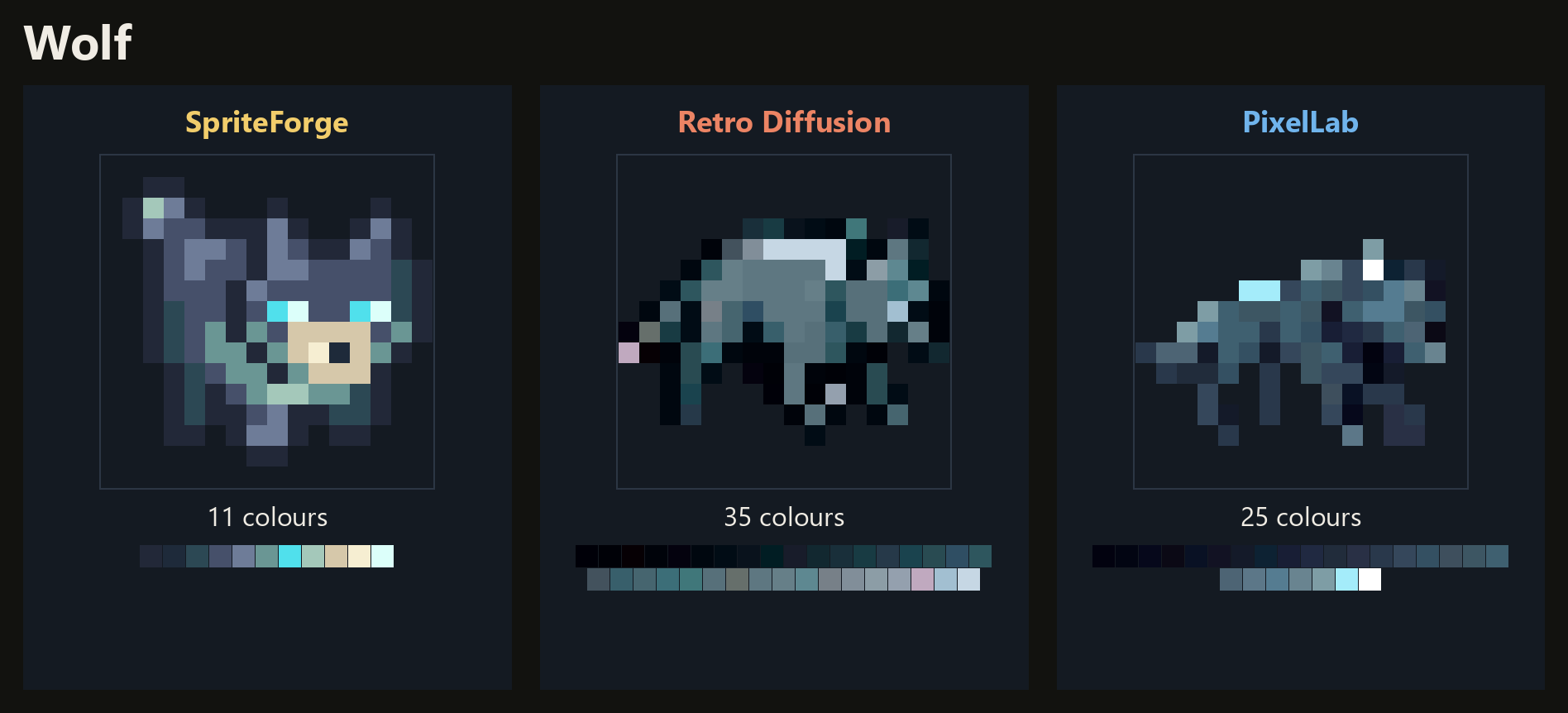
The wolf. SpriteForge wins here clearly. The PixelLab and Retro Diffusion wolves are really messy and lack any clear features.
The stump monster. This one is between SpriteForge and Retro Diffusion: two very different takes on the same request. PixelLab's is messy and scuffed.
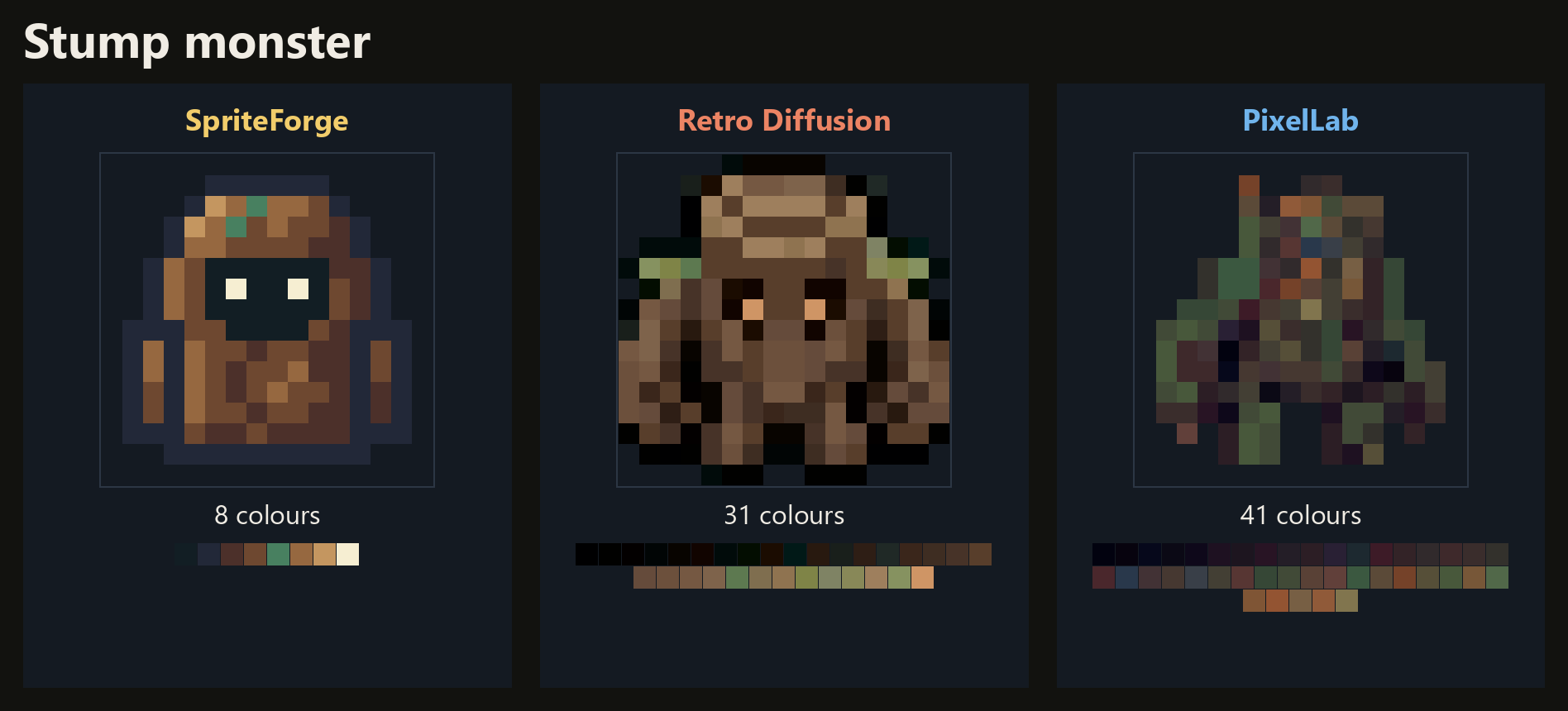
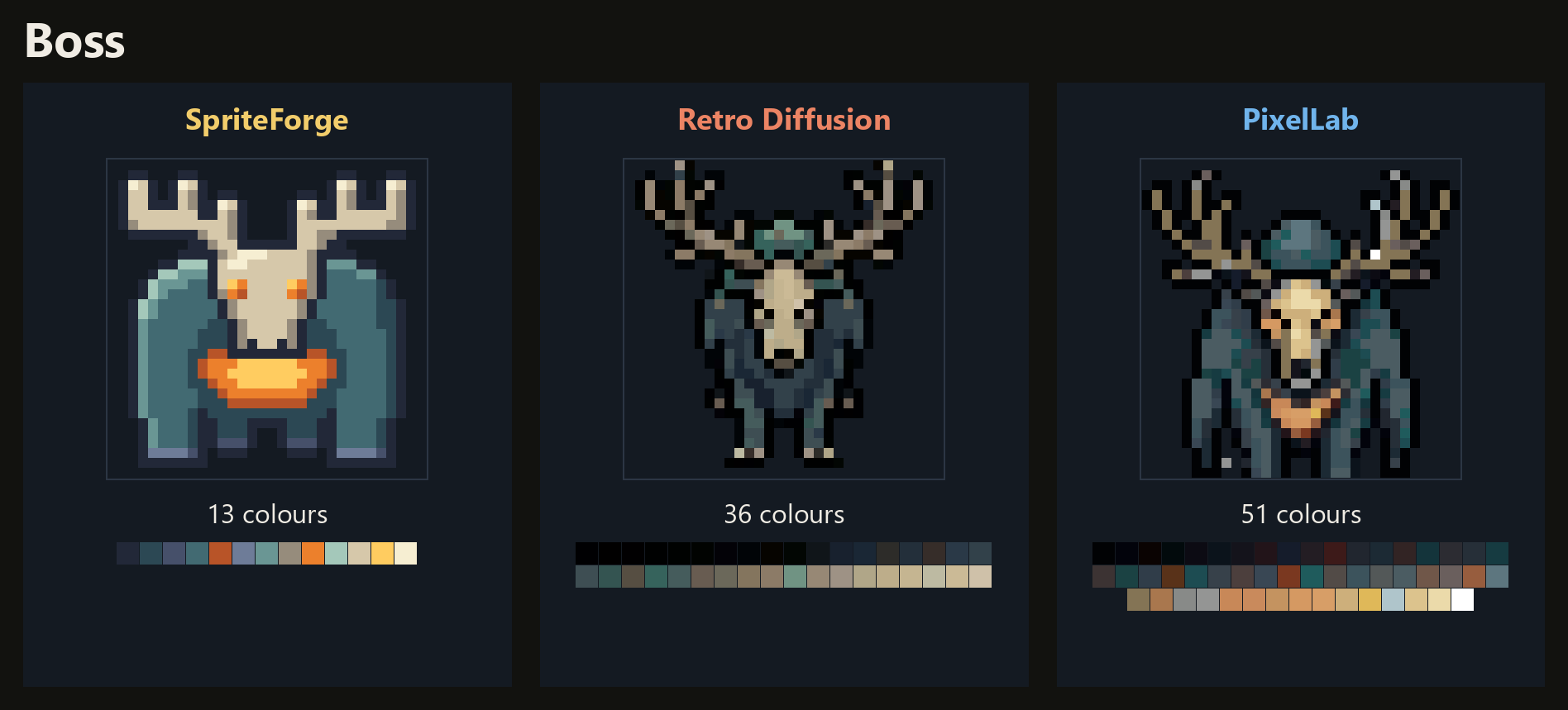
The boss. Same request: a stag spirit with a skull face. The two diffusion models drew almost the same animal. My guess is they were trained on a similar set of images. SpriteForge drew something of its own.
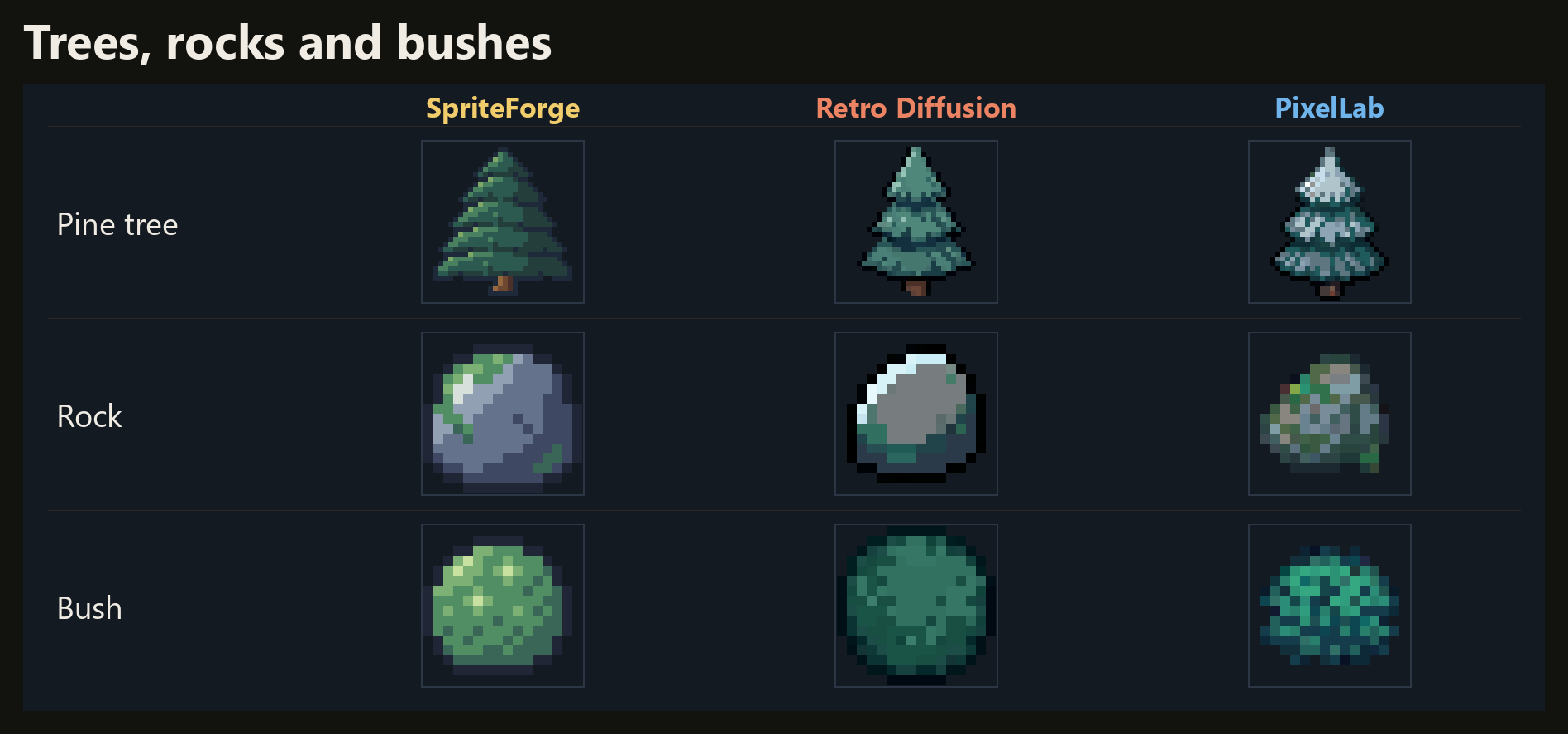
Trees, rocks and bushes. PixelLab put snow on the tree, which nobody asked for.
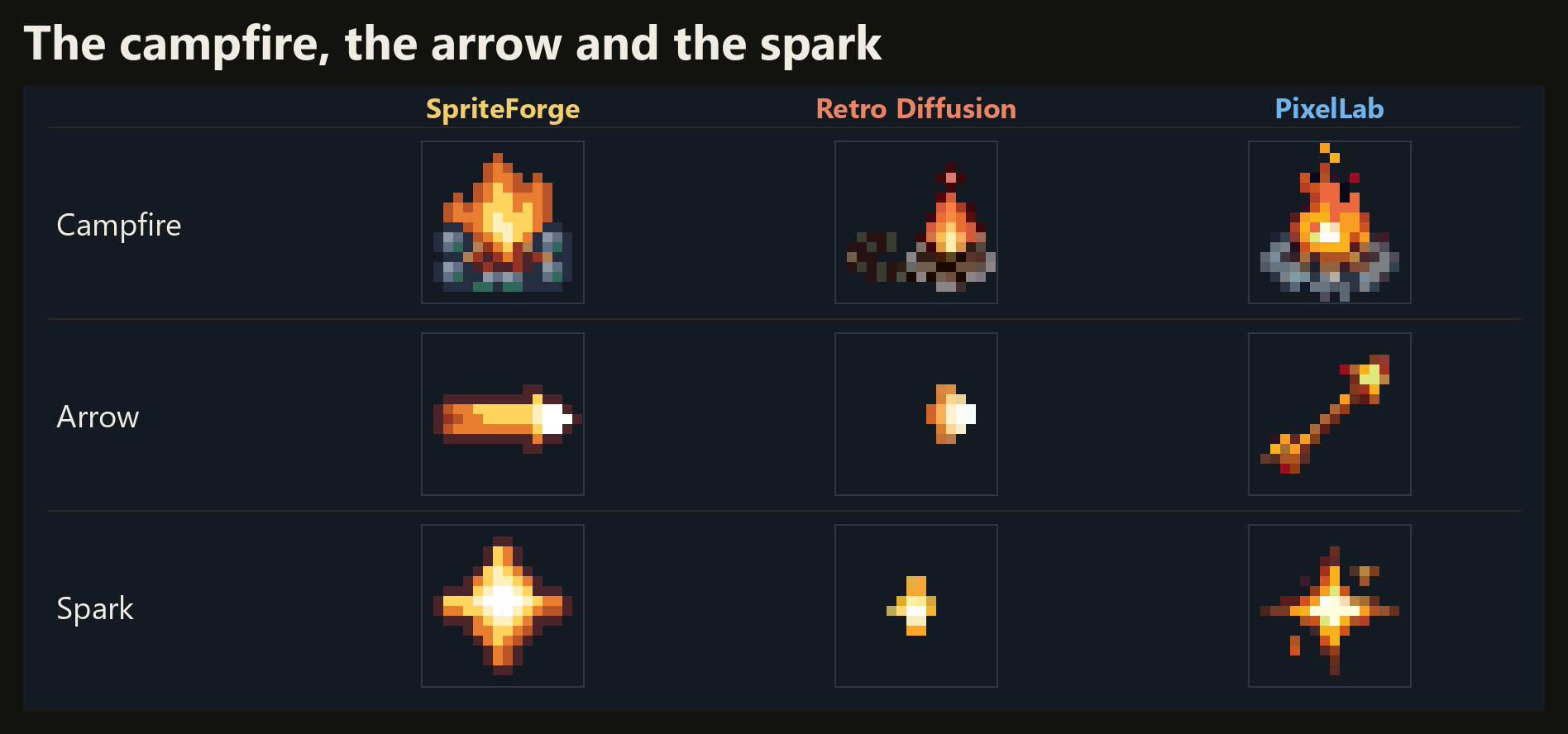
The campfire, the arrow and the spark. The arrow was asked for flying right. PixelLab's points up and to the right.
Then the ground. Retro Diffusion was asked for night grass and delivered grey stone.
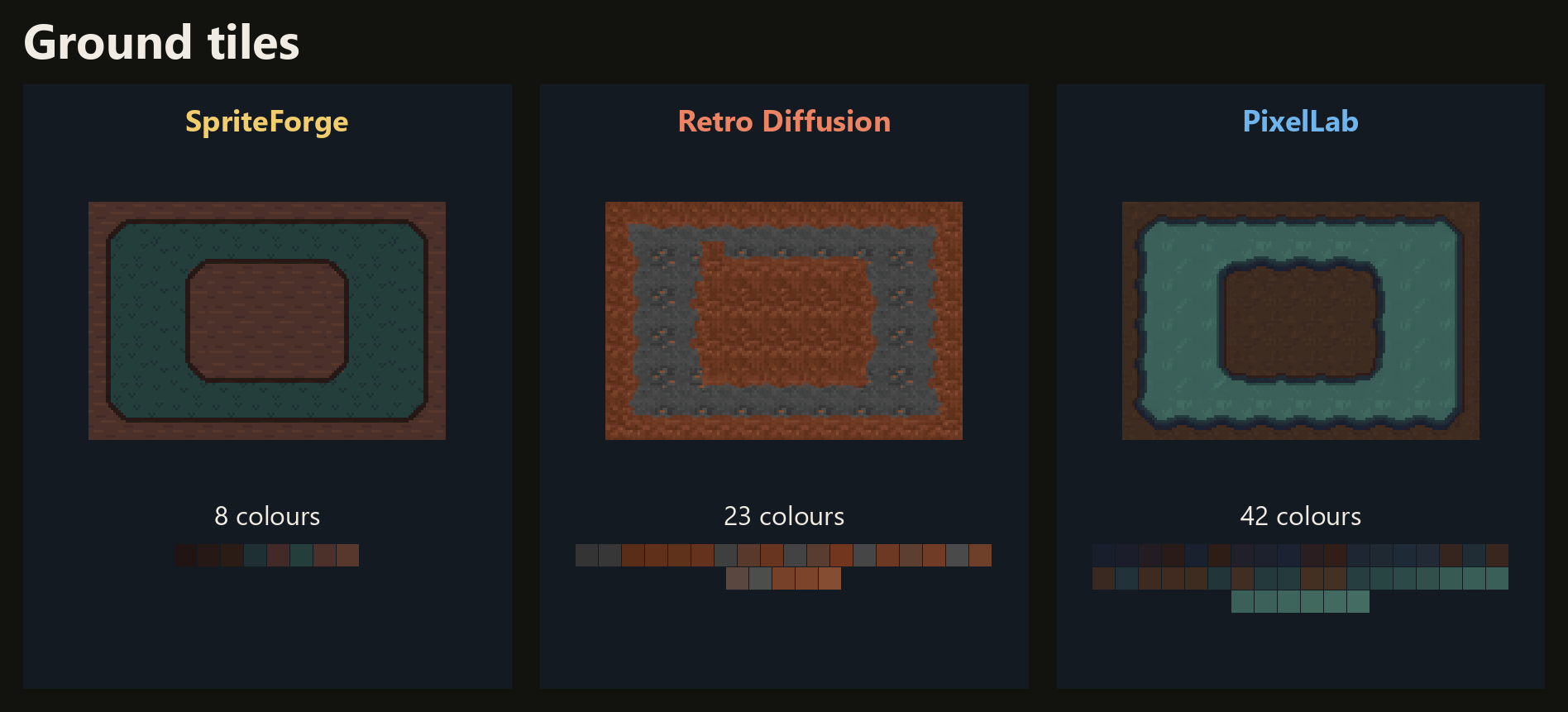
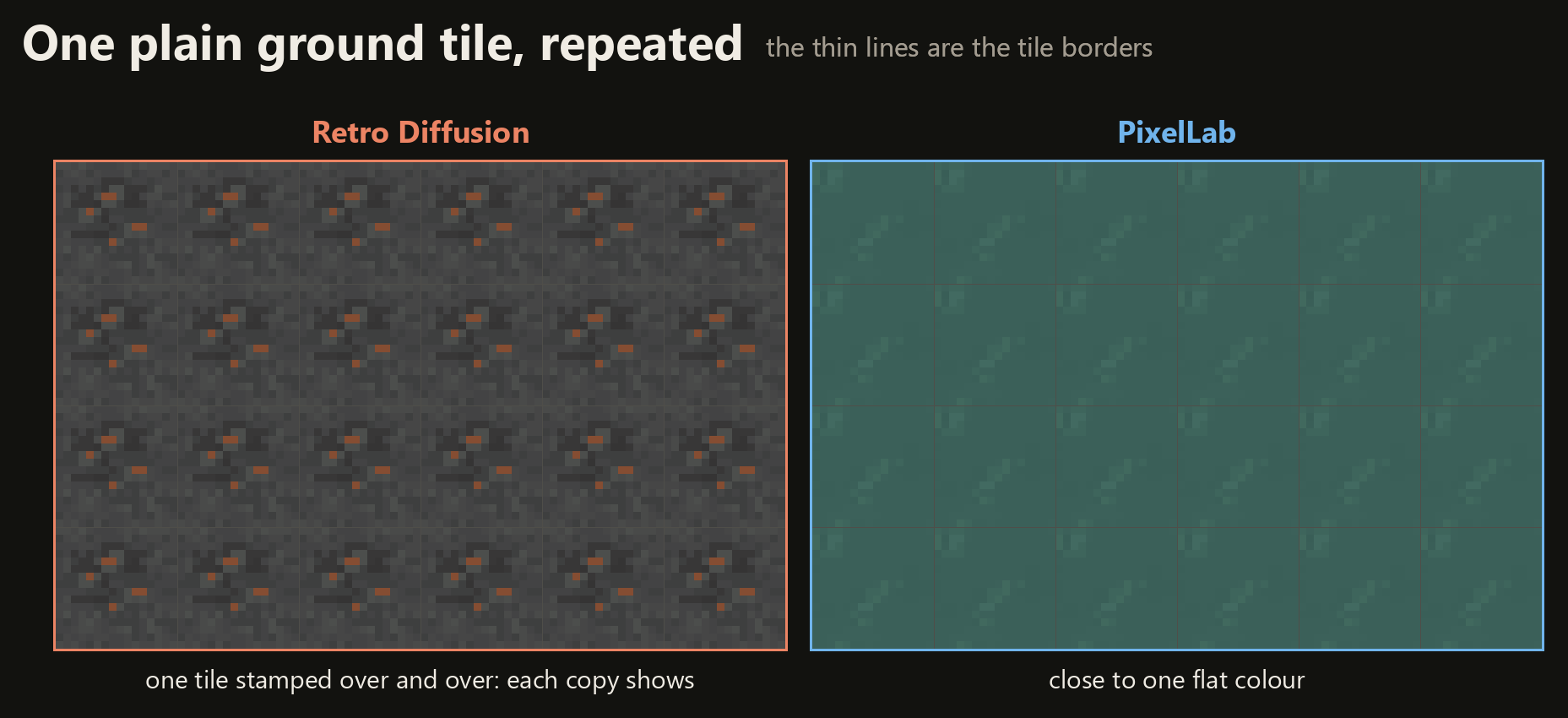
PixelLab has decent-looking tile sets, but does not really have the ability to create patterns that go beyond an individual tile. Diffusion services either mask this inability by offering tiles that are close to a solid colour, or straight up deliver stamp tiles where the seam is clearly visible.
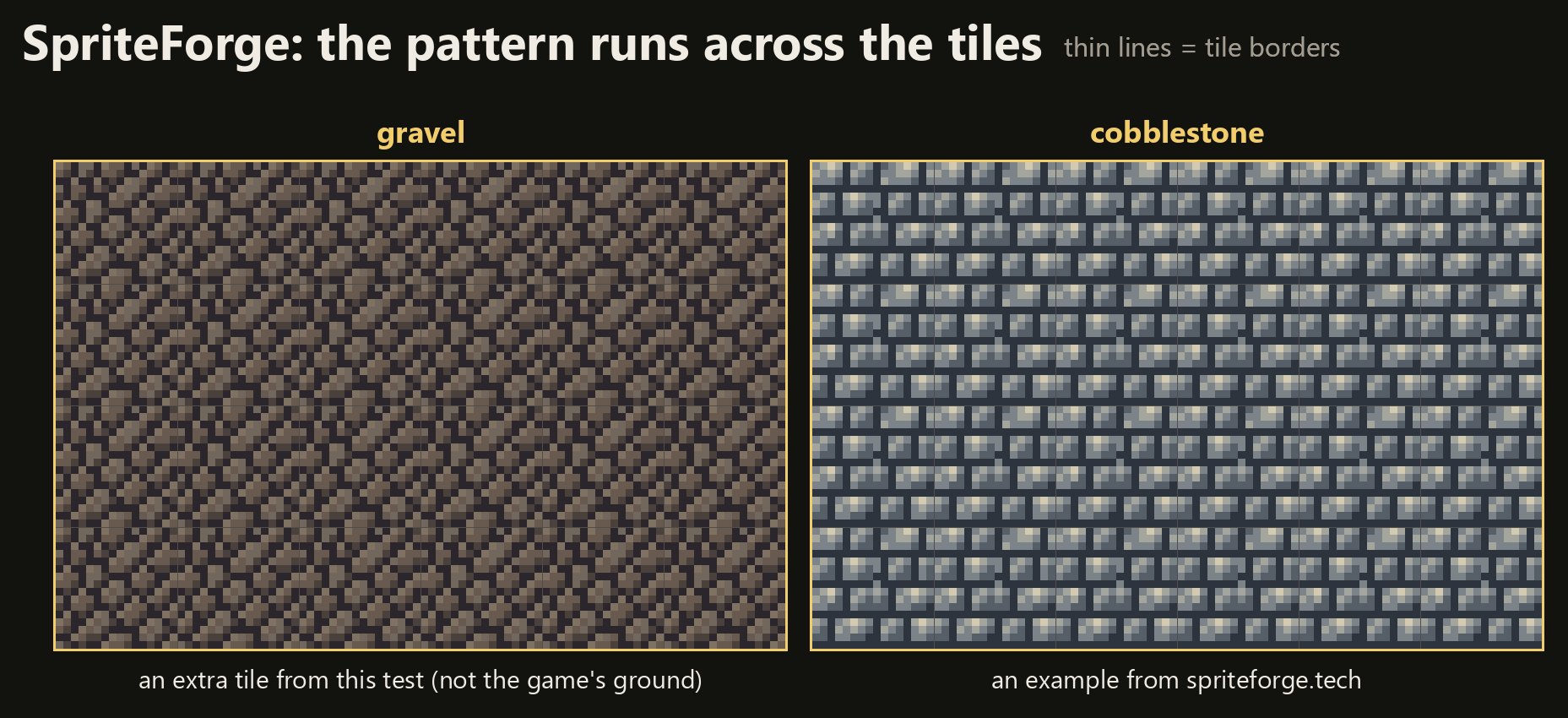
SpriteForge can create true auto tile sets where a pattern is drawn across the tiles.
Overall, SpriteForge's sprites are cleaner and less noisy, and to me they look more like something a person made. They also don't have that familiar AI look the other two share.
2. Palette size
Second comparison: palette size.
An LLM can draw inside a palette. Across all 15 sprites, SpriteForge used 78 colours. Retro Diffusion used 396. PixelLab, 256.
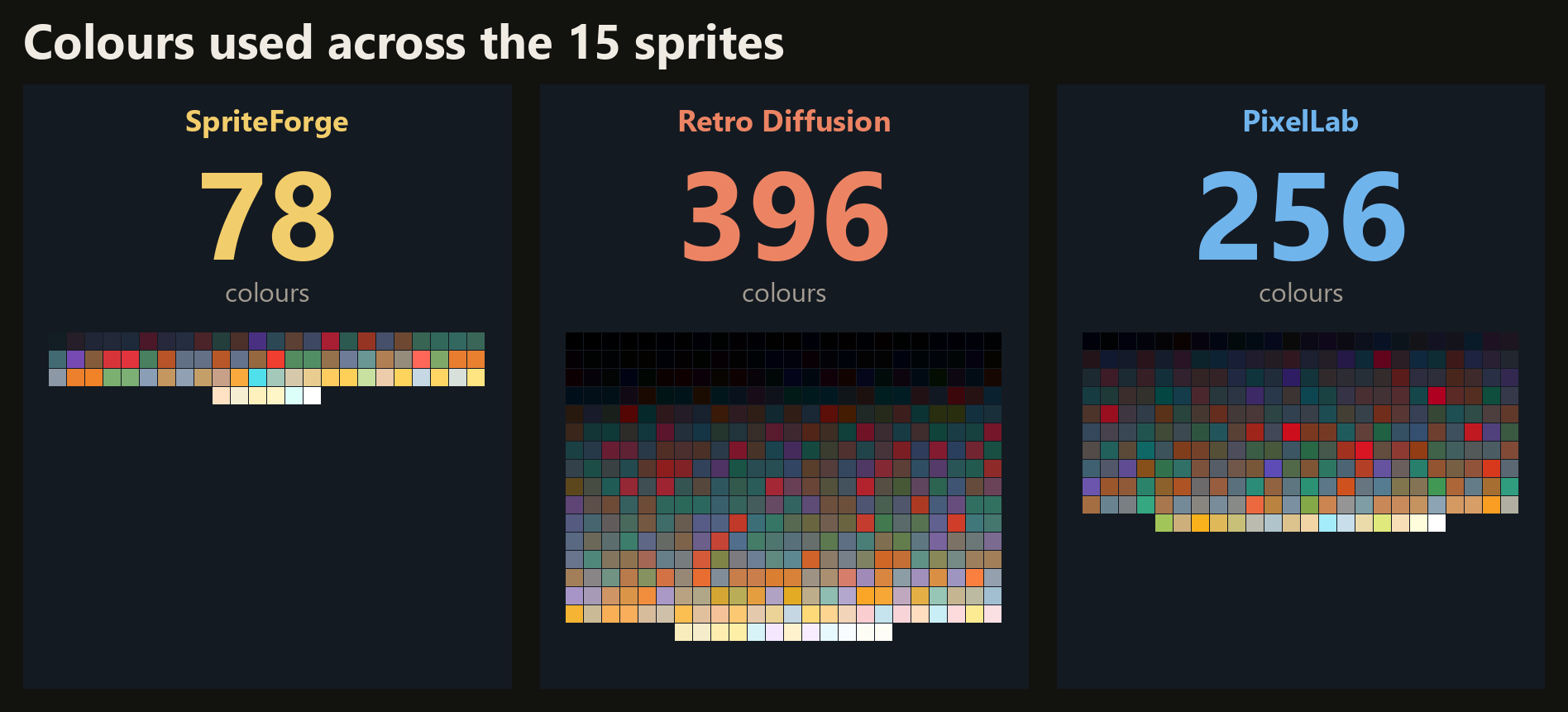
The boss alone: 13 colours, against 36 and 51.
You could snap those to a palette afterwards. It could work, but it further drowns any artistic vision the diffusion model never had in the first place.
3. The overall look
Third comparison: how it all fits together in the game. Same code, same play-through, three sets of art.
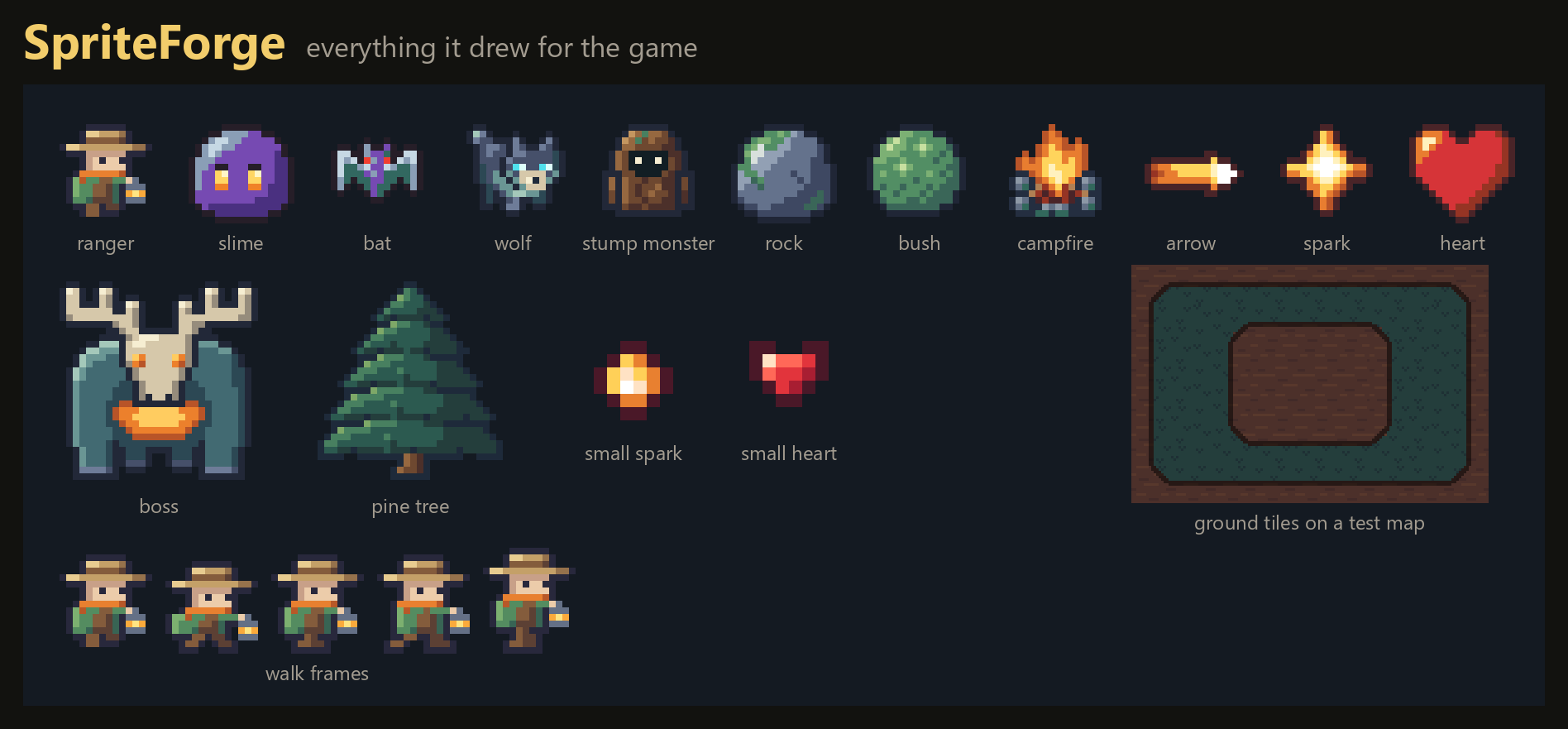
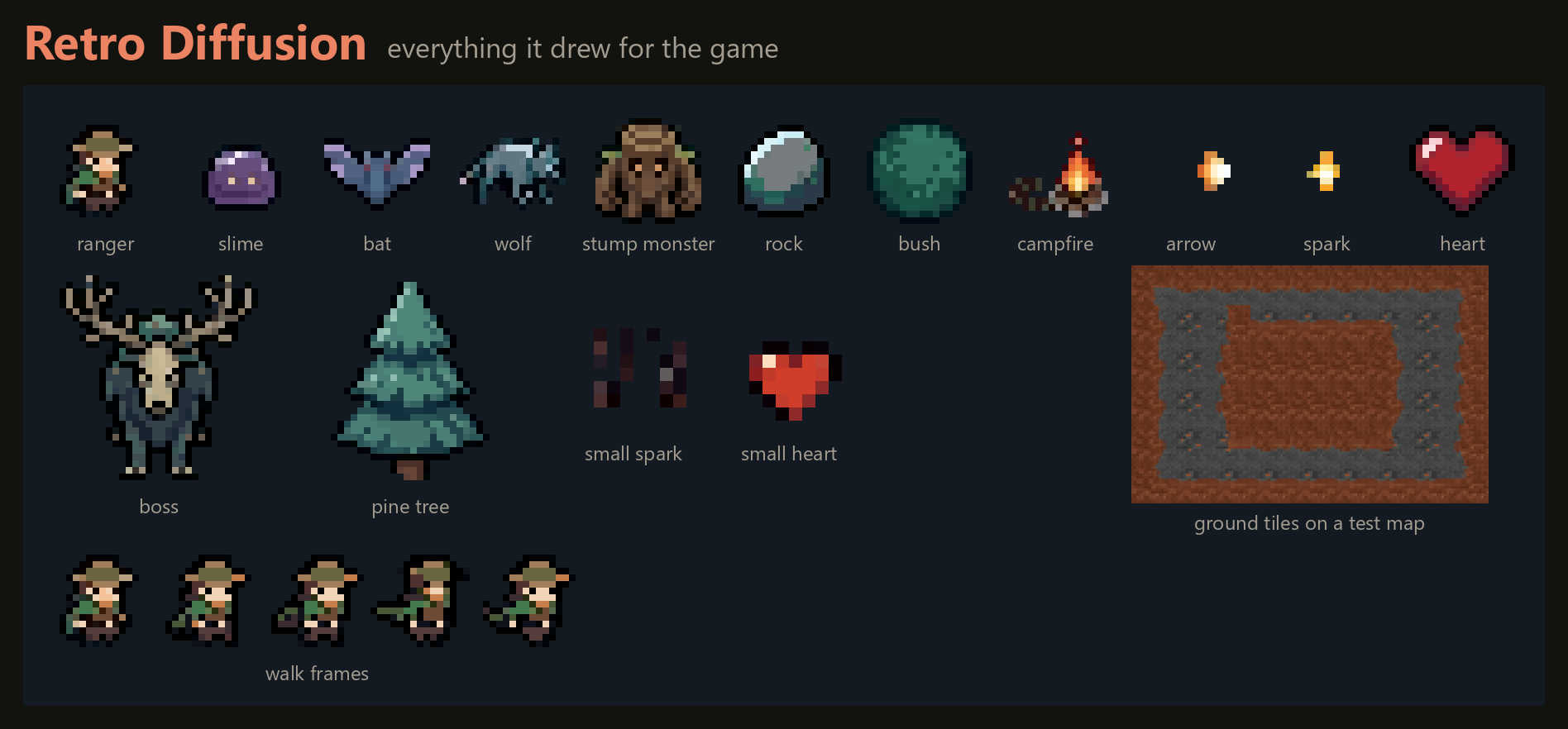
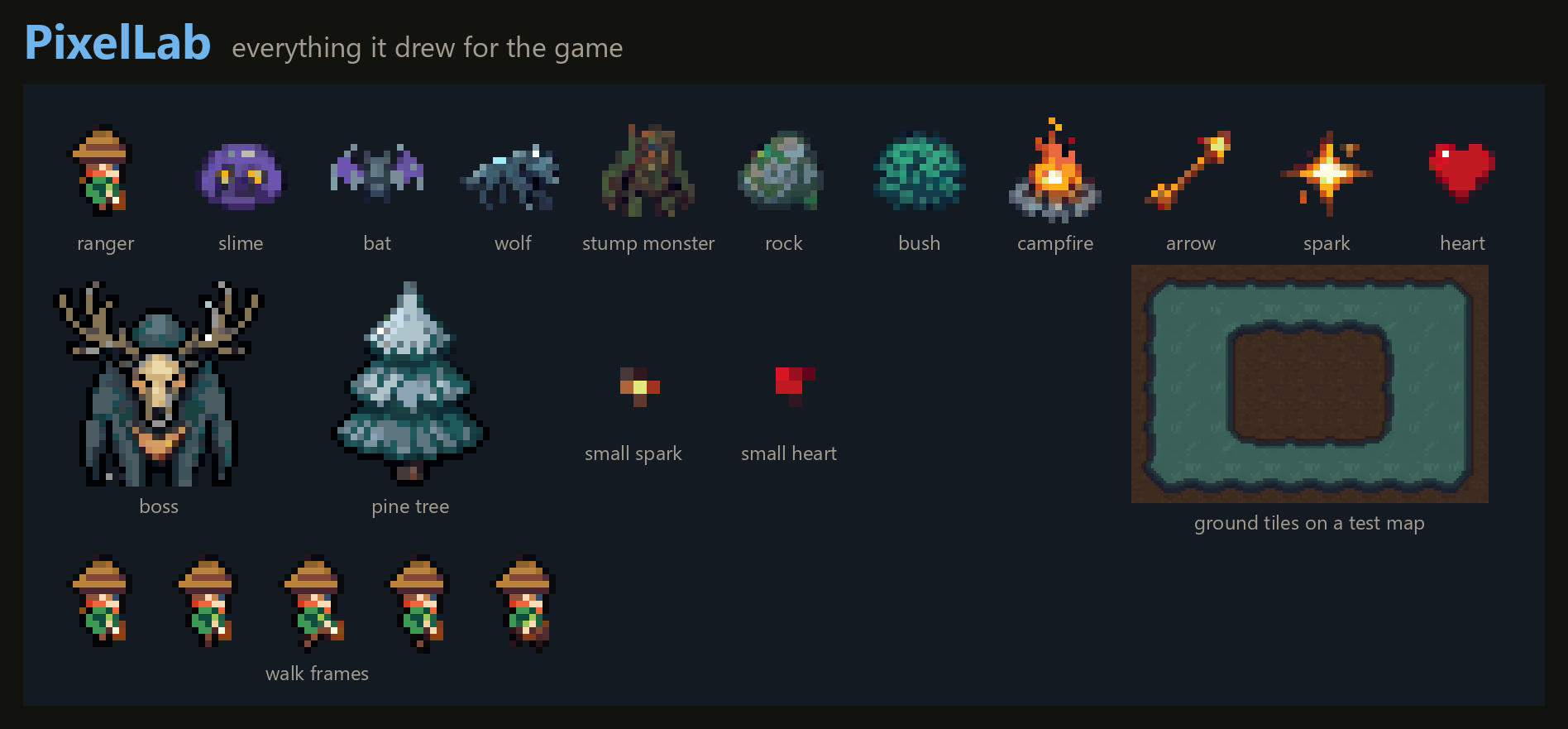
PixelLab's version has snowy trees in a forest with no snow. Retro Diffusion's forest floor is stone.
A diffusion model doesn't know what your game is. Every sprite is a new roll.
With SpriteForge you describe your game once, in a project style and a project description, and every request is drawn with that in mind.
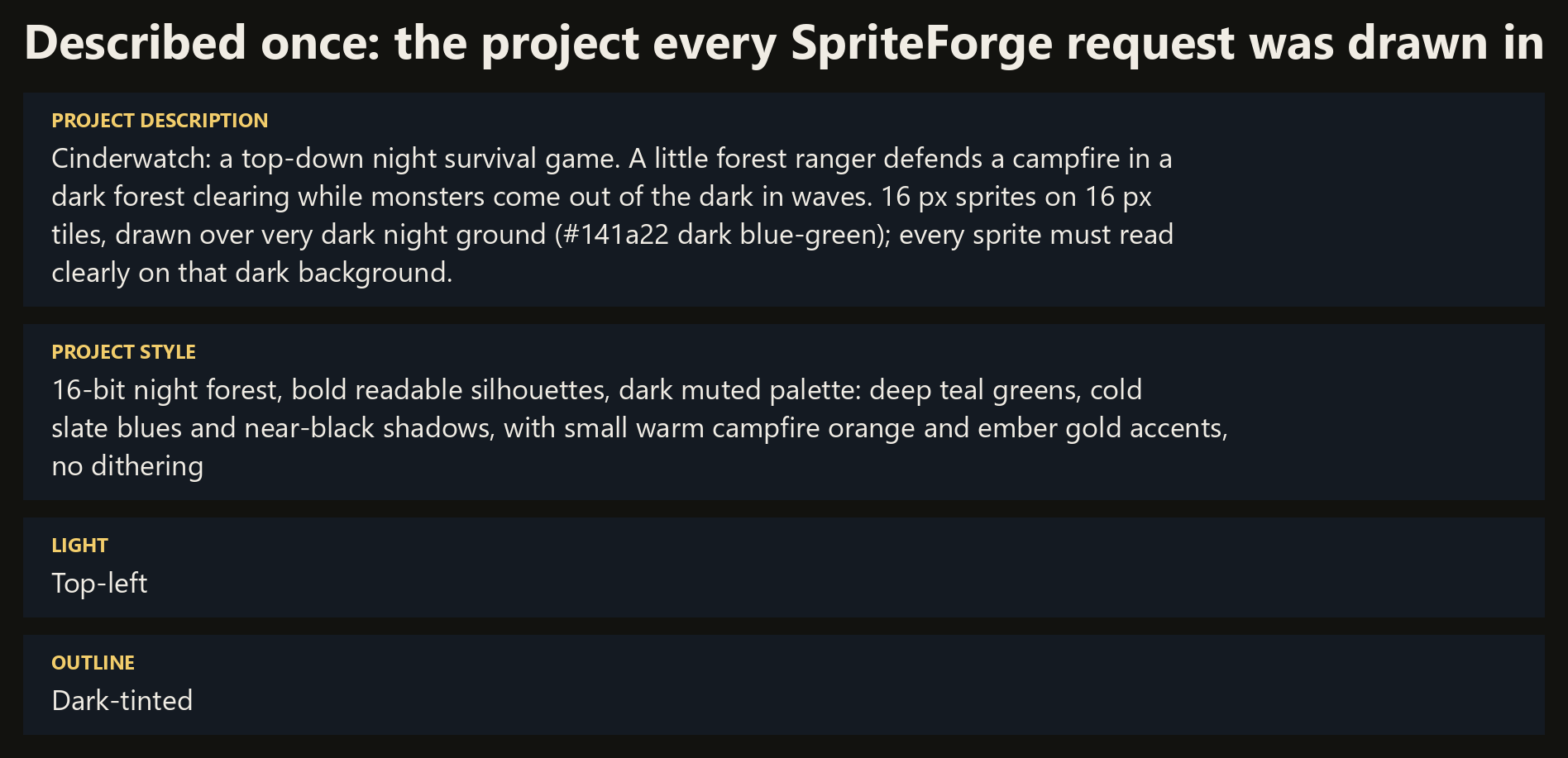
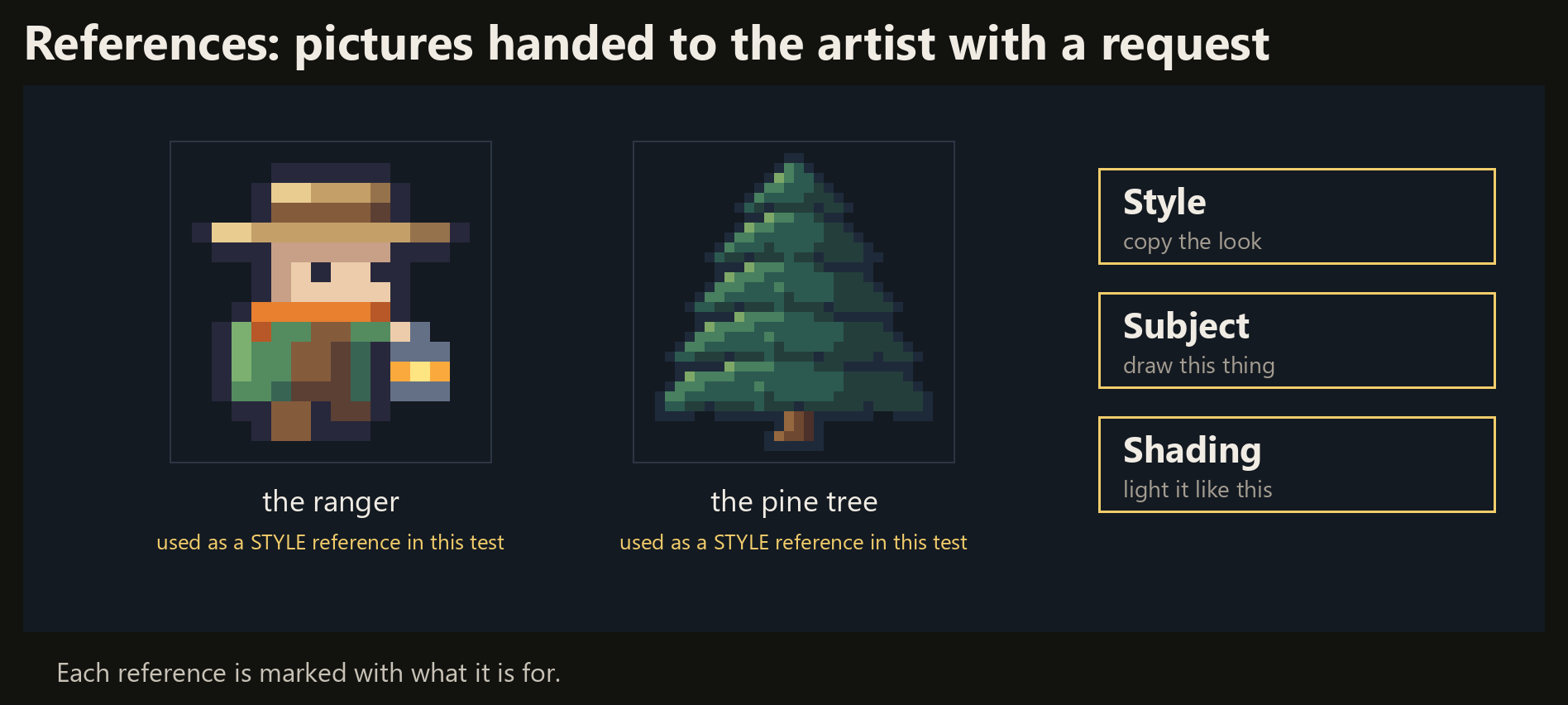
You can also hand it different references for style, subject and for shading, and the model understands what each one is for.
4. The cost
Fourth comparison: the cost. And here, SpriteForge clearly loses.
A 16×16 sprite is about 24 cents on SpriteForge when using Fable 5.2 as the artist, and 18 on Retro Diffusion. Comparable.
But a 32×32 sprite is about 83 cents, against the same 18.
That's because an LLM's work grows with the number of pixels. 32×32 has four times as many pixels as 16×16.
For a diffusion model the canvas size barely matters, since it is scaling down from a much bigger picture anyway.
| What | SpriteForge (Fable 5.2) | Retro Diffusion | PixelLab |
|---|---|---|---|
| 16×16 sprite | about $0.24 | $0.18 | under $0.01 |
| 32×32 sprite | about $0.83 | $0.18 | about $0.03 |
| 4-frame walk | about $1.12 | $0.14 | about $0.02 |
| Ground tile set | about $0.56 | $0.10 | under $0.01 |
| The whole game's art | $6.58 | $2.94 | about $0.16 |
SpriteForge and Retro Diffusion: pay-as-you-go prices. PixelLab: a share of its $12 a month plan (2,000 generations). Prices are what each service showed in mid-November 2026.
The whole game's art cost $6.58 on SpriteForge, $2.94 on Retro Diffusion, and about 16 cents' worth of PixelLab's $12 monthly plan.
Retro Diffusion also sells monthly plans that roughly halve its price. We can't match offers like that. Our margins are already non-existent.
Diffusion models mimic the result. SpriteForge goes through the process of making the image. You can feel that in the price.
The result
So. This was not the landslide victory for SpriteForge I was hoping for. It's a mixed bag.
I'm confident in the quality at 16×16 and 24×24. But the spatial reasoning that bigger sprites need is not quite where I want it to be in today's LLM models.
Gacha Dungeon
There's one more thing a test like this can't show: what happens over a whole game.
With a diffusion model, the look drifts. It can't understand your game or your style, so the hundredth sprite doesn't match the first.
SpriteForge was built for my own game: Gacha Dungeon, a large RPG that's still in development. Its main resolution is 16×16.
Around 99% of its sprites were made with SpriteForge. What that looks like is in the video, and in the demo you can play here.
The good news for SpriteForge: the drawings will get better as new models get stronger at spatial reasoning. And the price will come down as they get cheaper to run.
Which game art did you like the best?
Free credit to start, no card.